If you’ve ever dreamed of building a massive, gear-laden crushing machine in Minecraft, the Create mod opens up a whole world of mechanical possibilities. Recently, on the Just Create SMP Season 2, YouTuber FoxyNoTail tackled an ambitious scrapyard project—complete with a colossal crushing machine powered by Create’s iconic crushing wheels, belts, and gear systems. This article breaks down the key techniques from that episode so you can build your own crushing contraption at home. We’ll cover the essential components, a smart gluing trick to simplify your schematics, and how to keep your world running smoothly when vehicles start stacking up.
“SCRAP CRUSHER | CREATE MOD CARS Welcome back to Just Create SMP Season 2. In this episode of the Just Create SMP, the scrapyard project continues, but it comes with some unexpected challenges.”
— FoxyNoTail, video description
The full 33‑minute video is available on FoxyNoTail’s website, and we’ll be referencing the exact modpack and tools used so you can follow along perfectly. Let’s crunch some junk!
What you’ll need
- Minecraft Edición Java (the Create mod is no available on Bedrock or Pocket Edition).
- Forge modloader – the Just Create SMP 2 modpack is built on Forge.
- The Just Create SMP 2 modpack – download from CurseForge. It includes the Create mod plus dozens of other quality‑of‑life and mechanical addons. The pack runs on Minecraft 1.20.1 (always double‑check the latest version on the CurseForge page).
- Foxy’s Mod (optional) – a small companion mod by FoxyNoTail that adds a few handy tweaks. Get it from CurseForge.
- The world seed used in the video is
-3306902169669489505, if you want to explore the same scrapyard terrain.
All downloads are community‑made and hosted on CurseForge, a trusted source for modded Minecraft. Never download mod files from unfamiliar websites. Before installing, make sure your Forge version matches the modpack requirements—the CurseForge launcher handles this automatically.
Building the crushing machine: step by step
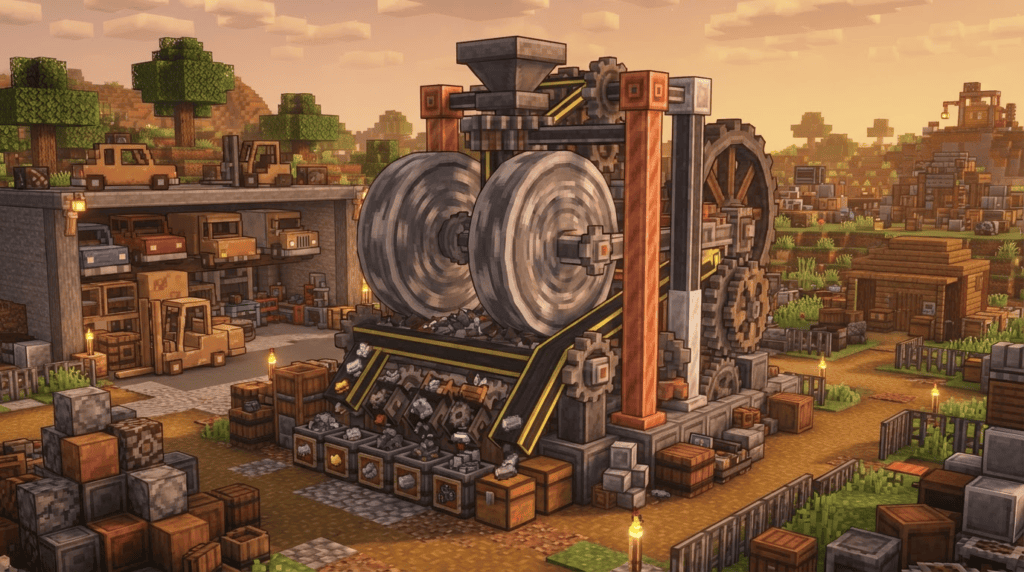
FoxyNoTail’s machine processes scrap items by dropping them onto a series of crushing wheels. Here’s how to recreate that setup in your own world.
1. Lay out the crushing zone
Decide where your crusher will live. A flat area near a wall or cliff works great. Dig a pit 3 blocks deep, about 5 blocks wide and 7 blocks long—this gives you room for the wheels, belts, and collection hoppers. In the video, the scrapyard theme calls for industrial blocks like Andesite Casing and Metal Girders, but you can use any solid block.
2. Place the crushing wheels
Create’s Crushing Wheels are the core of the machine. They work in pairs: one placed directly above the other, with a 1‑block gap between them. Items dropped into that gap get squashed. You’ll need:
- 2 Crushing Wheels (crafted from Andesite Alloy, Sturdy Sheets, and a Stonecutter)
- 1 Mechanical Belt
- Shafts and Gearboxes to transfer rotational power
Place the bottom wheel first on a solid axle (a Shaft in the wall), then the top wheel one block above it. The wheels must spin in opposite directions, which you can achieve by chaining one side with a Gearbox and powering the other side directly.
3. Power it up
Crushing Wheels need rotational force—at least 512 stress units per wheel. In the Just Create SMP pack, a large Water Wheel or a Windmill Bearing provides enough oomph. Connect your power source to the crushing wheels using a network of Shafts, Cogwheels, and Gearboxes. FoxyNoTail uses a powerful motor from a Create addon, but a classic Water Wheel setup is perfectly fine for a starter crusher.
4. Add belts and funnels
To feed items into the crusher automatically, run a Mechanical Belt directly above the gap between the two wheels. Attach a Funnel (or a Chute) on the belt’s output side, pointing down into the crushing chamber. On the input side, place a Brass Funnel and filter it for the items you want to process—cobblestone, gravel, ores, even cars if you’re role‑playing a scrapyard!
At the bottom of the pit, install a few Chutes or a belt to collect the crushed outputs—gravel, sand, metal nuggets—and funnel them into a chest or a smelting array.
Foxy’s clever gluing trick
When you’re building large structures like a scrapyard, schematics save hours of work. But gluing every single block to a Super Glue entity is tedious, especially if there are gaps. FoxyNoTail demonstrates a little‑known Create command that makes this painless:
“To deal with the scrapyard, I demonstrate a highly useful Create mod command for gluing large areas with gaps, making the schematic process much smoother.”
— FoxyNoTail
While the exact command wasn’t detailed in the description, the principle is straightforward: you can use the /create glue command (or a data pack function from the pack) to apply glue across a selected area, skipping air blocks automatically. This lets you capture only the solid blocks you really need in your schematic, without breaking the structure. Check the in‑game help or the modpack’s documentation if you want to try it—it’s a massive time‑saver.
Keeping performance in check
Creating complex machines with moving parts can cause lag, especially if you stack multiple vehicles (like cars or minecarts) in one spot. FoxyNoTail noticed two issues in his world: entity lag from stacked vehicles, and a subway elevator that slowed things down. Here’s how to avoid the same headaches:
- Avoid packing too many moving entities onto one chunk. Spread out your scrap vehicles or use stationary displays instead of actual moving ones.
- Utilice Mechanical Bearings y Belts instead of Minecart‑based elevators where possible. They’re far lighter on the game engine.
- Turn off shadows or reduce entity render distance in video settings if you’re playing on a lower‑end PC.
Salvage smelting and recycling
What’s a scrapyard without a recycling center? After the crusher reduces junk to raw materials, FoxyNoTail pipes those materials into Blast Furnaces (using Create’s Funnels and Belts again) to smelt nuggets and dust back into useful ingots. You can copy this easily: just link the output chest of the crusher to a set of furnaces via belts, and use Andesite Funnels with filters to direct different outputs to different smelters.
Recap
You’ve now got the blueprint for an epic crushing machine straight out of the Just Create SMP. To summarize:
- Set up the Just Create SMP 2 modpack (Minecraft 1.20.1, Forge) from CurseForge.
- Build a pair of Crushing Wheels with a belt feeding items into the central gap.
- Power it with a Water Wheel or motor.
- Use a gluing command to speed up schematic creation for large areas.
- Watch out for vehicle stacking lag and swap to Create’s own transport when possible.
What’s next?
Watch FoxyNoTail’s full video for the subway elevator fix and to see the crusher in glorious mechanical motion. If you’re hungry for more Create builds, check out our guide on automatic tree farms with Create or dive into the Galacticraft wiki if you want to take your engineering to space!