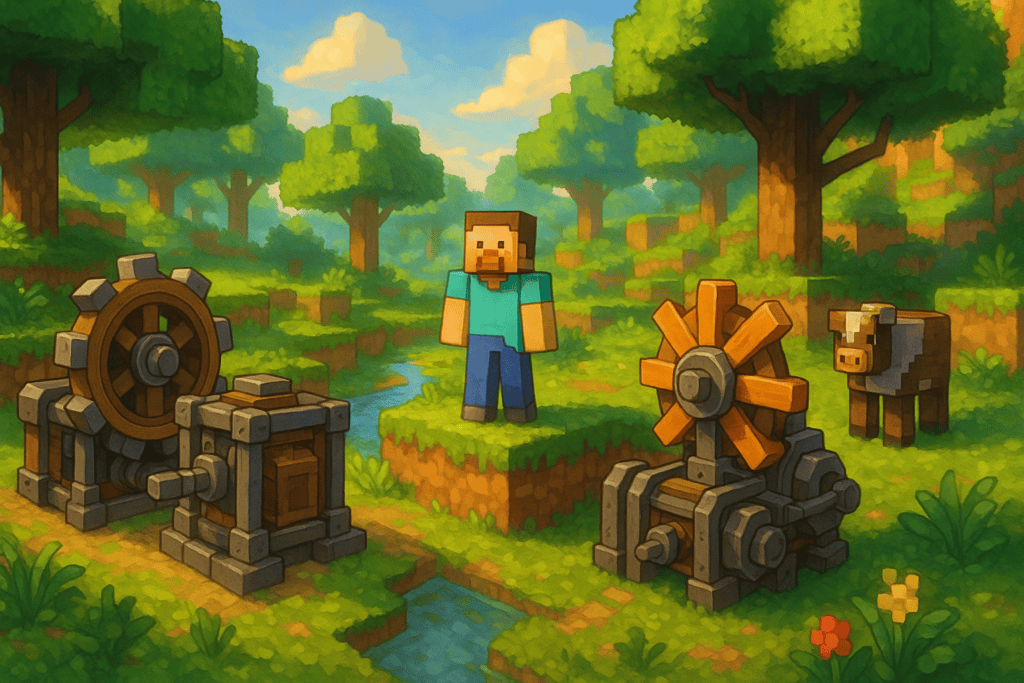
If you’re looking to refresh your Minecraft experience in 2026, you’re in luck—this year is packed with standout mods that improve performance, add new gameplay features, boost visual quality, and totally transform the way you craft or explore. Whether you’re a new player or a veteran modder, this guide has you covered with the top mods you should try, plus what versions and modloaders you’ll need to use them safely. All download links point to trusted sources only.
Compatibility and Requirements
- Minecraft Version: Primarily 1.20.x and up (Java Edition)
- Edition: Java Edition (some mods and modpacks are exclusive to Java); Bedrock players may want to check our Pocket Edition guide
- Required Modloaders: Most performance and technical mods need Fabric. Some (like Biomes O’ Plenty) use Forge. Modpacks usually specify the required loader in their packs.
- Safe Download Sources: CurseForge, official mod pages.
- Note: Always back up your worlds before installing new mods, and double-check compatibility with your Minecraft version!
Top Minecraft Mods in 2026
1. Sodium (Fabric)
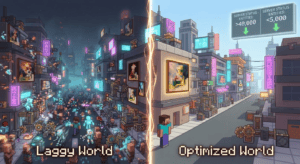
If smoother gameplay is your priority, Sodium should be your first install. It’s a performance optimization mod that can dramatically increase your frame rate (FPS) and improve chunk rendering. Perfect for players with older PCs or those running massive builds.
“Sodium remains one of the best Minecraft performance mods in 2026 and should be your first install if you play on Fabric.”
– GameNewsForge
- Version: 1.20.x+ (Java Edition)
- Modloader: Fabric
- Why we love it: Noticeably boosts FPS with no changes to how Minecraft looks or plays.
2. Iris Shaders (Fabric, pairs with Sodium)
Sodium is great for frames, but what about stunning visuals? Iris Shaders is the current gold standard for modern shader support, and it’s fully compatible with Sodium. That means you can enjoy beautiful shadows, lighting, and reflections without sacrificing performance.
- Version: 1.20.x+ (Java Edition)
- Modloader: Fabric (often paired with Sodium)
- Why we love it: Gorgeous shaders with minimal lag. Great for screenshots and immersive play!
3. Create (Forge & Fabric)
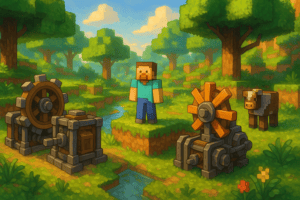
If you’ve ever wished you could build automated machines, moving contraptions, or even full-blown factories, Create is the mod for you. It adds a robust mechanical system—gears, conveyor belts, mechanical presses, trains, and hundreds of components. Perfect for inventors and tinkerers!
“Create is arguably the best Minecraft mod ever made. It adds a full mechanical system—gears, conveyor belts, mechanical presses, trains, and hundreds of components that let you build functional machines.”
– MC-Servers.io
- Version: 1.20.x+ (Java Edition)
- Modloader: Forge, now also on Fabric
- Why we love it: Unlimited automation and creativity for advanced builders.
4. Just Enough Items (JEI) (Forge & Fabric)
Crafting in Minecraft is deep, but it can be a hassle—especially with lots of mods installed. Just Enough Items (JEI) makes crafting a breeze by letting you look up any recipe directly in-game (including modded costs and outputs) instead of referencing wikis or your phone all the time.
“Crafting new items is a key part of Minecraft but the standard way of doing so isn’t the easiest. If you’re sick to death of looking on a different screen (or your phone) for a recipe, install Just Enough Items.”
– TechRadar
- Version: 1.20.x+ (Java Edition)
- Modloader: Forge and Fabric
- Why we love it: Speeds up gameplay, reduces recipe frustration, and is a must-have for complex modpacks.
5. Biomes O’ Plenty (Forge)
Tired of the same old forests and deserts? Biomes O’ Plenty adds dozens of unique biomes—lush valleys, mystic groves, autumnal woods, and more. Each comes with new plant life, terrain, and resources. It’s essential for players who love exploring diverse landscapes.
- Version: 1.20.x+ (Java Edition)
- Modloader: Forge
- Why we love it: Every world is more beautiful and has more to discover.
6. Lithium (Fabric)
For the tinkerers who want their world to run smarter instead of just faster, Lithium optimizes the game’s logic, including things like mob pathfinding and world generation. It won’t change any “vanilla” (un-modded) behavior, making it a safe drop-in for most worlds.
- Version: 1.20.x+ (Java Edition)
- Modloader: Fabric
7. All The Mods 10 (Forge) – Modpack
If you want the ultimate Minecraft experience without handpicking every mod, All The Mods 10 is your one-stop shop. This curated modpack contains over 400 mods—tech, magic, adventure, and more—with a questbook to guide you through progression. Perfect for both solo and server play.
- Version: 1.20.x (Java Edition)
- Modloader: Forge (install via CurseForge launcher recommended)
8. Better MC (Forge & Fabric) – Modpack
Better MC is the go-to pack if you want a “vanilla++” experience: smarter mobs, far-off vistas (thanks to distant horizons), dungeons to explore, new magic, and support for shaders. If you want to keep Minecraft’s core feeling but with more to discover, start here.
- Version: 1.20.x (Java Edition)
- Modloader: Forge or Fabric (check pack for details)
9. Epic Dungeons: A Roguelike Journey (Forge)
Craving more adventure? Epic Dungeons adds procedurally generated dungeons with challenging mobs, sneaky traps, and unique loot tables. Every dungeon is different, so it’s hard to run out of challenges.
- Version: 1.20.x+ (Java Edition)
- Modloader: Forge
10. Aquaculture 2 (Forge & Fabric)
If you love fishing (or just want more ways to relax between builds), Aquaculture 2 is a must. Add over 30 new fish species, advanced rods, bait, and even customizable bobbers and fishing lines!
- Version: 1.20.x+ (Java Edition)
- Modloader: Forge and Fabric
Bonus: Installing Minecraft Mods the Safe Way
Before you dive in, always:
- Use mods made for your exact Minecraft version.
- Choose the correct modloader (Forge or Fabric)—they’re not interchangeable.
- Backup your worlds and saves regularly.
- Get your mods from CurseForge or Modrinth for community-reviewed safety.
What’s Next?
Ready to start your 2026 modded adventure? Check out our Best Fabric Mods guide for curated picks, or visit our Downloads page for step-by-step install tutorials for every major mod and modpack!