Want to add a fresh, uncommon look to your Minecraft Bedrock character? The “Rose Fit” is a Persona item available in the in-game Marketplace, typically priced at 140 Minecoins. This guide walks you through exactly what a Persona item is, how the Character Creator works, what 140 Minecoins will cost you in real money, and how to buy and equip the Rose Fit. We’ll even break down the best Minecoin pack to grab – and which ones to avoid.
What Is a Persona Item in Minecraft?
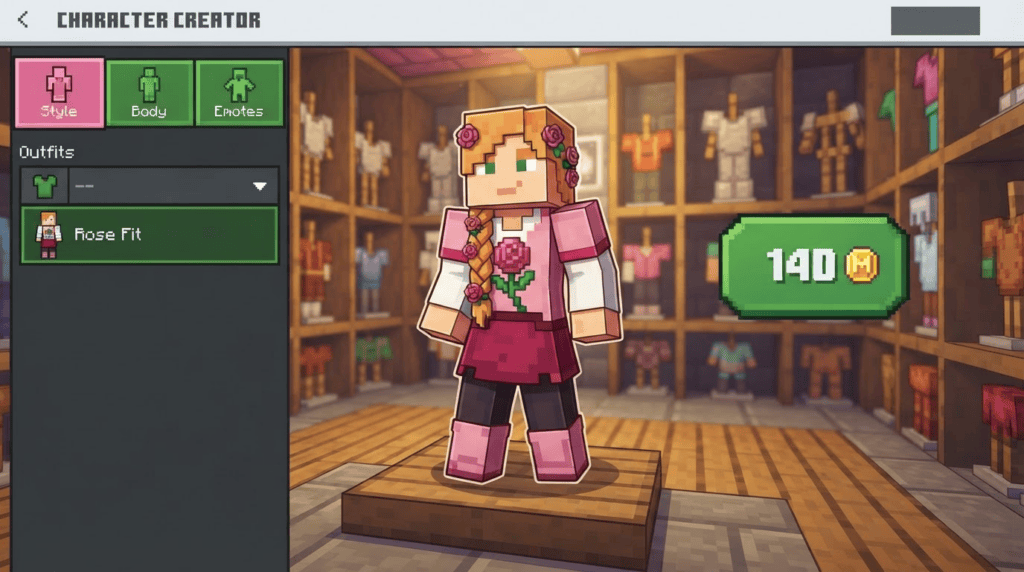
Before we hunt down the Rose Fit, let’s get on the same page about what you’re buying. In Minecraft Bedrock Edition (the version on Windows 10/11, consoles, and mobile devices), the Character Creator lets you build a custom avatar piece by piece instead of slapping on one flat skin. Think of it like a digital paper-doll system.
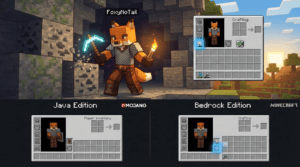
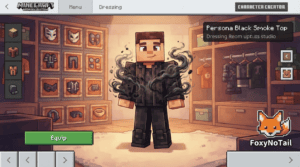
As Minecraft community expert FoxyNoTail explains: “The Character Creator (formerly called Persona) lets you build a character piece by piece instead of applying one flat texture.” That means you can mix and match hairstyles, eyes, mouths, body types, and outfits – like the Rose Fit – to make a character that’s truly yours.
Where to Find Persona Items and How They’re Priced
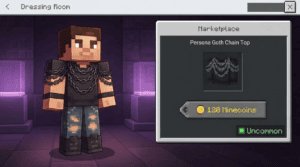
Persona items are purchased directly inside the Minecraft Marketplace using Minecoins, a virtual currency. You’re not locked into buying whole skin packs; many individual pieces are sold à la carte. Uncommon rarity items (like the Rose Fit) are consistently listed at 140 Minecoins. For context, the Marketplace also carries items like the “Cute Duck Head” and “Uncanny Entity,” both sitting at that same 140-coin Uncommon tier.
How do you get Minecoins? You buy them in packs with real money. And here’s some good news for budget-conscious crafters: U.S. dollar prices for Minecoin packs have been completely stable since at least March 2021. Researcher Tycon801 checked archived listings and confirmed: “The pack-price ladder looks the same: $1.99, $5.99, $9.99, $19.99, $49.99.”
Current U.S. Minecoin Pack Prices
- $1.99 – 320 Minecoins
- $5.99 – 1,020 Minecoins
- $9.99 – 1,720 Minecoins
- $19.99 – 3,500 Minecoins
- $49.99 – 8,800 Minecoins
Do a little math: the $5.99 pack (1,020 coins) can buy you roughly seven 140-Minecoin Uncommon items. That makes it the sweet spot if you’re planning to pick up the Rose Fit plus a few other accessories. The $1.99 pack gets you two items with 40 coins to spare, but you’ll likely want that bigger pool for future style swaps.
Important: Minecoins and the Marketplace are exclusive to Minecraft Bedrock Edition. Java Edition players cannot access this store or use Character Creator items. If you’re not sure which edition you have, check the title screen – Bedrock shows “Minecraft” while Java says “Minecraft: Java Edition.”
Step-by-Step: How to Buy and Equip the Rose Fit
Ready to give your character a rosy makeover? Follow these steps directly inside Minecraft Bedrock Edition. The screens and button names may shift slightly with updates, but the flow stays the same.
Step 1: Get Your Minecoins Ready
From the main menu, click the Marktplatz button. You’ll see a grid of featured content. Look for a Minecoins icon (a gold coin with an “M”) usually in the top-right corner or along the navigation sidebar. Click it, choose your pack, and complete the purchase through your platform’s store (Microsoft Store, PlayStation Store, etc.). We recommend the $5.99 / 1,020-coin pack to cover the Rose Fit and future grabs.
Step 2: Find the Rose Fit Item
Still in the Marketplace, use the search function (magnifying glass icon) and type “Rose Fit.” Alternatively, browse the Character Creator section and filter by Uncommon rarity or the Outfit category. The Rose Fit is an Uncommon outfit piece – exactly the kind of item that fills the 140-Minecoin slot.
A note on availability: Persona items can rotate or be delisted, and some may be tied to limited-time events. As FoxyNoTail notes, items can be “earned through achievements, obtained from limited-time events, or redeemed with download codes.” If Rose Fit isn’t showing up, check back; it may reappear or move categories. Always rely on the in-game Marketplace as the official source.
Step 3: Purchase and Download
Click the Rose Fit listing. Confirm the price is 140 Minecoins and hit the purchase button. The item will download immediately. No modloader is needed – this is official vanilla content that works on any Bedrock Edition device.
Step 4: Equip It in the Dressing Room
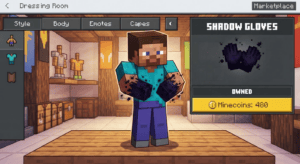
Back on the main menu, click your character profile picture (or the hanger icon) to enter the Dressing Room. This is the Character Creator interface. Navigate to the “Body” or “Outfits” tab – wherever clothing pieces are stored. The unlocked Rose Fit will appear with any other outfits you own. Click to equip it, and your character preview updates in real-time. Combine it with different hairstyles, hats, and back items to complete your look.
Your equipped Persona items show up in all multiplayer servers, Realms, and single-player worlds. Other players will see your outfit as long as they’re also on Bedrock Edition.
Why the 140-Minecoin Price Point Matters
Uncommon Persona items like the Rose Fit sit at a friendly sweet spot. They’re more affordable than Epic or Legendary pieces (which can run upwards of 350–830+ coins) but carry more exclusive designs than Common freebies. With the $5.99 pack, you’re effectively paying about $0.82 per Uncommon item. Not bad for a piece of officially supported Minecraft cosmetic history that stays tied to your Microsoft account across devices.
What to Watch Out For
A few quick heads-ups before you go shopping:
- Minecoins don’t transfer between editions. Coins you buy in Bedrock stay in Bedrock; they won’t appear in Java Edition or in the old Minecraft Earth game.
- Platform-specific purchase flow. On consoles, your purchase goes through that platform’s wallet, not a Microsoft Account balance. Make sure you’re signed into the right profile.
- No refunds on cosmetics. Once you’ve bought and equipped the Rose Fit, you can’t return it. Double-check the preview before confirming.
- Coincidental naming. The name “Rose Fit” overlaps with a completely unrelated weight-loss supplement. This guide refers only to the Minecraft Bedrock Persona cosmetic item, which has no connection to that product.
Recap and What’s Next
Grab the Rose Fit – a 140-Minecoin Uncommon Persona outfit – by booting up Minecraft Bedrock Edition, buying the $5.99 Minecoin pack for the best value, and heading to the in-game Marketplace. Once unlocked, head to the Dressing Room to mix it into your character look. No modloaders, no file downloads, no risk.
Want more character customization tips? Check out our guide on classic skins vs. the Character Creator to decide which style fits your play. Or browse the latest Bedrock Edition version updates to see what new Marketplace items dropped this month. Now go make that rose-fresh look your own!