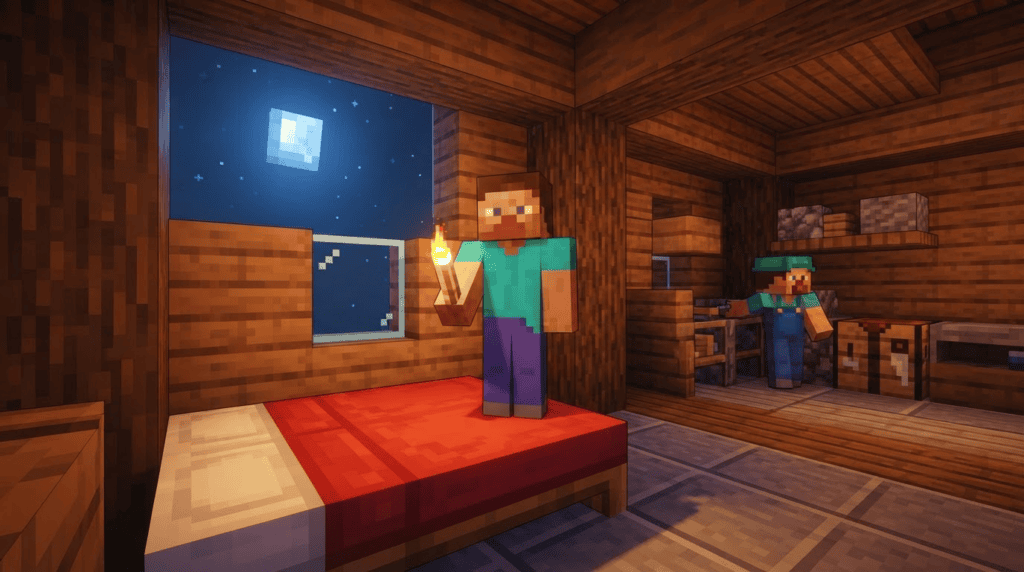
Waiting for a friend to finish mining or building before night can pass is a classic Minecraft multiplayer headache. On a Realm or server with two or more players, everyone normally needs to hop into a bed simultaneously to skip to dawn. The One Player Sleep add-on for Edición Minecraft Bedrock solves that problem, letting a single player fast-forward the night for the entire world. With over 253,000 downloads and counting, it’s one of the most popular quality-of-life add-ons available. Here’s everything you need to know to install, use, and troubleshoot it.
What Is One Player Sleep?
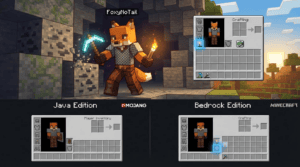
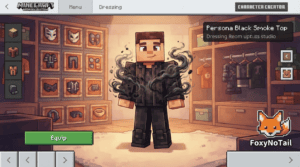
One Player Sleep is a Bedrock Edition add-on created by community modder FoxyNoTail. It changes the default sleep mechanic on multiplayer worlds: as soon as one player lies down on a bed, the night begins to skip, rainy or stormy weather clears, and the sun rises shortly after. There’s no waiting for everyone else to get into bed or digging through server settings.
“This pack lets any player activate one player sleeping which means that on worlds with more than one player online, only one player needs to sleep to pass the night. To activate, stand on a bed then sleep in the bed.”
— FoxyNoTail
Version Compatibility & Requirements
- Edición: Minecraft Bedrock Edition (also works on Pocket Edition and Windows 10/11 Bedrock)
- Add-on version: 4.0.0 (released 12 July 2023)
- Game version: Minecraft Bedrock 1.20.10
- Modloader: Not required — Bedrock add-ons use .mcpack or .mcaddon files installed directly through the game
- Multijugador: Works on regular worlds, servers, and Realms
Important note: While the add-on was last updated for 1.20.10, the author has indicated it “probably still works” on newer Bedrock versions. Always back up your world before installing any add-on. The download count boasts 253,109 total downloads as of its July release, and that number has undoubtedly grown since.
How to Install the One Player Sleep Add-On
Bedrock add-ons don’t need Forge or Fabric. You simply download the file and apply it to a world. Here’s a step-by-step installation walkthrough:
1. Download the Add-On
Visite FoxyNoTail’s official One Player Sleep page. Always get add-ons from the creator’s site or a trusted source to avoid corrupted files. Download the latest .mcpack o .mcaddon archivo.
2. Import into Minecraft
Once downloaded, open the file. Your device should recognize it and automatically launch Minecraft Bedrock. You’ll see an “Import Started” message, followed by a confirmation that the add-on has been successfully imported.
3. Apply to a World
Start creating a new world or edit an existing one. Scroll down to Paquetes de comportamiento (and Resource Packs if the file includes one) in the world settings. Tap the pack under “Owned Packs,” then press the Activate button. The pack moves to the active list.
4. Test in Multiplayer
Enter the world with at least one other player online. At nighttime, approach a bed, stand on top of it, and then press the “Sleep” button. If the activation is successful, the night should begin skipping — only one person needs to do this.
The v4.0.0 Change: You Must Stand on the Bed
If you used an older version of this add-on, version 4.0.0 introduces a noticeable gameplay change. Previously, players could simply sleep as normal. Now, you must stand on top of the bed before pressing “Sleep.” This odd-sounding requirement fixes an important technical problem.
“GOOD NEWS: This pack no longer conflicts with other add-ons that use the player entity. BAD NEWS: You MUST be standing on a bed before you sleep to activate this!”
— FoxyNoTail
By moving the player onto the bed surface, the add-on avoids entity conflicts with other behavior packs. If you’re running multiple add-ons (for mobs, UI tweaks, or other features), this change keeps everything working smoothly.
One Player Sleep for Minecraft Java Edition: Don’t Mix Them Up
It’s easy to find a “One Player Sleep” result for Java Edition and assume it’s the same thing. It’s not. Two completely separate community projects share the name or concept:
Spigot/Paper Plugin by Sueta/Leaf26
This plugin for Java servers (Spigot or Paper) has amassed over 533,000 downloads. It sends a chat notification when a player enters a bed, then smoothly transitions to morning. It also clears rain and thunderstorms. If you run a Java server, this is the go-to solution.
CurseForge Mod (Fabric/Forge) by Another Author
A separate “OnePlayerSleep” mod on CurseForge for Java Edition has pulled in about 2,987 downloads as of August 2026. It works on Fabric and Forge and also skips the night with a single sleeper. Because it’s community-made and less popular than the Spigot plugin, double-check compatibility with your modloader and Minecraft version before installing.
None of these Java projects are affiliated with FoxyNoTail’s Bedrock add-on. When looking for help or updates, make sure you’re in the right ecosystem.
Consejos para solucionar problemas
- Add-on doesn’t import? Confirm the file extension is .mcpack or .mcaddon. Try a different browser if the download fails. On mobile, long-press the file and choose “Open in Minecraft.”
- Night doesn’t skip? Are there at least two players in the world? One-player sleep won’t trigger on a single-player world (there’s no other player to wait for). Make sure you’re standing on the bed surface before sleeping.
- Conflicts with other add-ons? v4.0.0 fixed most conflicts, but behavior packs that heavily modify player behavior can still clash. Try loading the One Player Sleep pack above others in the world settings.
- On a newer Bedrock version? If you’ve updated the game past 1.20.10, create a copy of your world before testing. Most small add-ons remain functional through minor version bumps.
Why 253K Downloads and Growing?
The number isn’t just hype. The add-on fills a universal pain point for Bedrock multiplayer without requiring server plugins or complex configuration. Realms, which don’t support many third-party tools, benefit especially. FoxyNoTail’s commitment to keeping the pack conflict-free with other add-ons has made it a staple in the Bedrock community. If you’ve ever typed “go to bed” in chat one too many times, this add-on is for you.
What’s Next?
Now that your nights pass effortlessly, you might explore FoxyNoTail’s other Bedrock add-ons — the creator offers a collection of packs for zombie despawning, tree capitator mechanics, and even a mini-blocks style “chisel” add-on. If you’re on a Java server, check out the OnePlayerSleep Spigot plugin by Sueta for a similar experience without modding the client. For more Bedrock guides, visit our Pocket Edition section or browse our Downloads hub for curated, tested add-ons.