The Minecraft Java team just dropped Snapshot 8 for version 26.4, and it brings a much-needed patch for the Ender Dragon’s erratic flying, along with new language options, a handful of gameplay tweaks, and a stack of technical changes for modders and data pack creators. If you’ve been waiting for the dragon to dive properly again, or you’re curious what’s new under the hood, this snapshot has you covered.
Version & compatibility
This is Java Edition snapshot 26.4 Snapshot 8, released November 10, 2026. It’s built for the Java-Ausgabe of Minecraft and is installed through the official Minecraft Launcher. Snapshots are pre-release versions provided directly by Mojang; no modloader is required to run them. The data pack version bumps to 127.0, and the resource pack version goes to 103.0, so creators should update their packs accordingly.
Gameplay changes & bug fixes
Ender Dragon flight restored
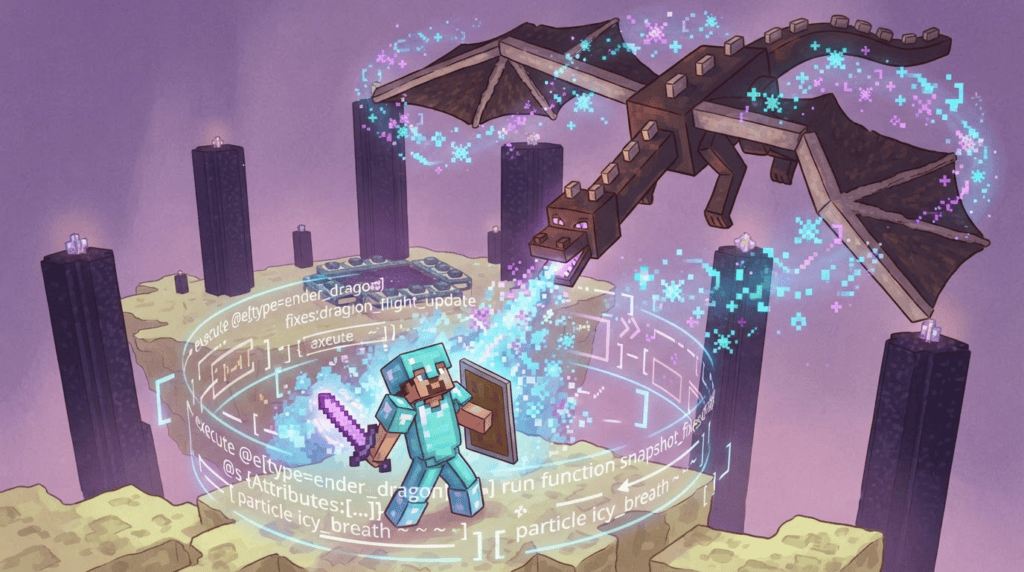
The star of the show: the Ender Dragon’s flying behavior has been fixed. According to the official changelog, the dragon “no longer gets stuck flying back and forth between two points, properly dives at the player, and correctly descends to the exit portal.” The team shared a lighthearted note:
“Well, it seems like our Ender Dragon has forgotten a thing or two about flying! In 26.4 Snapshot 8, we’ve fixed several issues with the dragon’s flight behavior to help get it back on track.”
Now the boss fight should feel as intense as intended, with the dragon performing its familiar swoops and perching as you chip away at its health.
Ice ball damage reduced
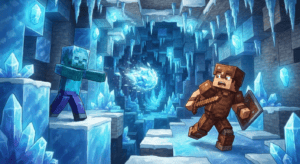
Frostbite’s icy projectiles have been dialed down. The damage formula changed from 1.395 × speed zu 1.3 × speed, as noted by the Minecraft-Wiki contributor. While this exact figure isn’t in the official post, the snapshot certainly makes ice balls hit a little softer. The new sound event entity.frostbite.throw also helps you hear those frozen attacks coming.
Undead now ignore freezing
Zombies, skeletons, and all other undead mobs are now completely immune to the Freezing effect. This makes sense—they’re already cold-hearted—and it prevents some wonky damage stacking in icy biomes.
Creative inventory tidy-up
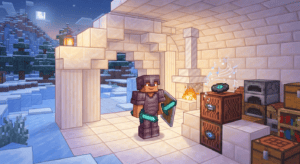
Snow Layers and Snow Blocks have been moved next to the Snow Brick Set in the Creative inventory. It’s a small organizational change that makes finding snowy building blocks a tiny bit faster.
Cold Sulfur Cube no longer floats
The Cold Sulfur Cube archetype now behaves like its siblings: it stays on the ground. No more mysterious levitating sulfur cubes confusing your factory setups.
New languages
Two community languages join the game: Javanese und Chavacano, Zamboanga. If you speak either, you can now switch your Minecraft interface to your native words. It’s a small step that makes the game more welcoming for millions of players.
Technical deep-dive
For creators who tinker with data packs, resource packs, shaders, or command blocks, this snapshot packs serious punches. Here’s the breakdown:
- Data pack version 127.0 – Most validation issues no longer prevent elements from loading. Conditional elements now allow bypassing some errors, but recursive calls and missing required context will still throw errors. This lets pack creators iterate faster without everything breaking.
- Command context split – The
minecraft:commandcontext is now two separate contexts:minecraft:command_predicateundminecraft:command_modifier. If you use predicates or modifiers in commands, you’ll need to update your syntax. - New ‘pattern’ argument type – For command fans, a new argument type called
patternlets you match regular expressions. This opens the door for more flexible command-based filters and gamerules. - Rendering & shader updates – Terrain vertex data in
terrain.vshis now fetched from a texel buffer instead of traditional vertex buffers. Order-Independent Transparency (OIT) shaders now rely on subpasses, and water mask handling was changed to support those subpasses. Boat water mask rendering is also reworked: it now draws to a separate target that gets sampled during terrain rendering, rather than writing to the terrain depth buffer. Expect cleaner water effects and fewer rendering glitches. - Entity position sync packet – Now includes full-precision head rotation, so multiplayer movements (like looking at a specific spot) should appear smoother.
- New UI sprite – Added
friends/tab_focused.png, hinting at future social or multiplayer UI tweaks.
Why this snapshot matters
Even if you’re not a coder, the Ender Dragon fix alone makes this snapshot worth a spin. The flight bugs were a known frustration for hardcore dragon fighters. If you play with data packs or custom commands, the validation changes and new argument type might save you hours of debugging. And if you’re just here for the ride, you can appreciate a smoother, more polished Minecraft.
How to install
Open the Minecraft Launcher, enable snapshots in the “Installations” tab, create a new installation for the latest snapshot, and hit play. Always back up your worlds before opening them in a snapshot—these are experimental builds.
For a full list of previous snapshot changes and installation help, check our Java Edition guides. Want to test those new command features? We’ll have a tutorial on the pattern argument coming soon.