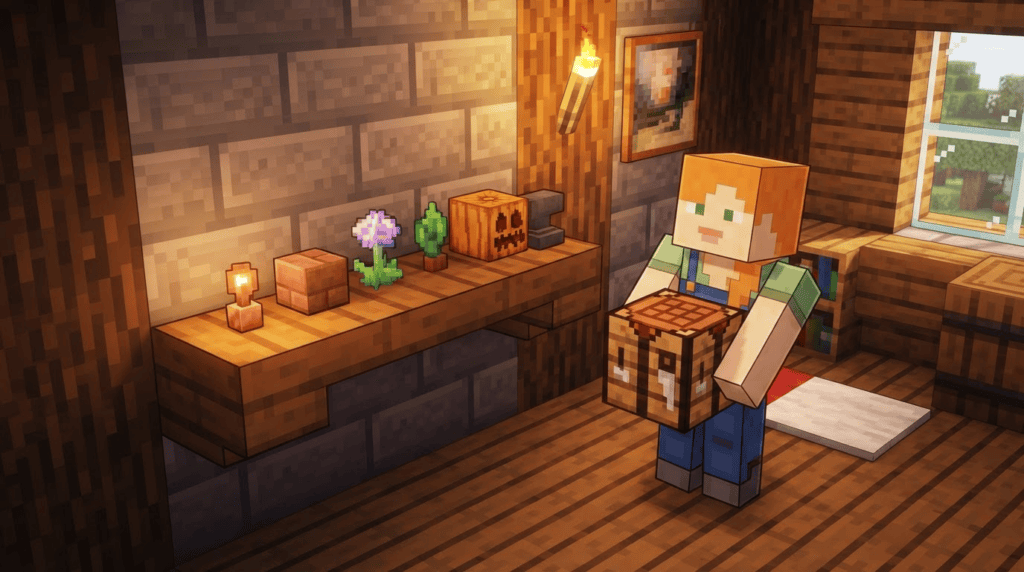
If you love fine-detail building and tiny decorative touches in your worlds, you’ve probably already heard of — or even used — the Mini Blocks add-on by FoxyNoTail. This community-made add-on for Minecraft Bedrock Edition (including Pocket Edition on mobile) lets you shrink full-sized blocks down to adorable miniature versions you can place just about anywhere. The creator just released version 8.0.0, and it brings a bunch of new miniature blocks, catching the pack up with more recent Minecraft updates.
What Is the Mini Blocks Add-On?
In a nutshell, Mini Blocks lets you craft and place tiny versions of over 200 standard Minecraft blocks. Think of it as a dollhouse builder’s dream. You can use these micro-blocks for everything from detailed kitchen counters and workshop shelves to intricate outdoor pathways and custom tree ornaments. Because they use actual block textures, they blend seamlessly into your vanilla-style builds — just at a much smaller scale.
This add-on is not an official Mojang product, and it’s important to know it’s purely cosmetic. Mini blocks are decorative items; they don’t function like their full-sized counterparts (no tiny furnaces smelting or miniature chests storing items). They’re all about adding visual polish to your builds.
What’s New in v8.0.0?
FoxyNoTail’s version 8.0.0 update focuses heavily on expanding the catalog. The newly added mini blocks cover a wide range of materials introduced or revamped in recent Minecraft Bedrock updates. Here are the highlights:
- Tuff family: Tuff, Polished Tuff, Tuff Bricks, and Chiseled Tuff
- Copper family: Copper, Exposed Copper, Weathered Copper, Oxidized Copper, plus their Cut, Chiseled, and Grate variants at every oxidation stage. Bulb blocks are also included.
- Deepslate additions: Chiseled Deepslate and Deepslate tiles
- Plant-like blocks: Big Dripleaf, Small Dripleaf, and the cute Spore Blossom
The update also includes several new stones and building blocks such as Dripstone, Calcite, Tinted Glass, and Smooth Basalt. For anyone who’s been holding off on a deepslate castle or a copper-roofed cottage, these new minis open up fresh detailing possibilities.
Compatibility & Requirements
Before you download, make sure your setup matches the requirements. Here’s the quick checklist:
- Édition : Minecraft Bedrock Edition (this includes Pocket Edition on iOS, Android, and Amazon devices, plus Windows 10/11, Xbox, PlayStation, and Nintendo Switch — as long as you can install add-ons).
- Game version: 1.21.40 or later. The add-on may work on slightly earlier versions, but FoxyNoTail recommends being up to date to access all the block textures.
- Experimental settings: You will need to enable “Holiday Creator Features” in your world’s settings for all the crafting recipes to work correctly. Do not enable other experimental toggles unless the pack specifically asks for them.
- Modloader: Not applicable. This is a Bedrock add-on — no Forge, Fabric, or OptiFine required. The add-on comes as an .mcaddon or .mcpack file that Minecraft can import directly.
How to Install the Mini Blocks Add-On (Step by Step)
If you’re new to installing add-ons on Bedrock, don’t worry. The process is straightforward. Follow these numbered steps:
Step 1: Download the Add-On
Head to the official download page on La forge de la malédiction (always use reputable sources like CurseForge to avoid corrupted files). Look for the most recent file — v8.0.0, in this case — and download the .mcaddon file. This single file contains both the behavior pack and the resource pack you need.
Step 2: Import into Minecraft
Once the .mcaddon file is on your device, simply open it. Your system should recognize the file type and launch Minecraft, automatically importing the add-on. If it doesn’t, you can manually move the file into the appropriate folder (the exact location depends on your device), but the one-click open method works on Windows, iOS, and Android.
Step 3: Create or Open a World
From the main menu, create a new world or edit an existing one. Scroll down to the “Add-Ons” section and click on “Resource Packs” and “Behavior Packs.” You should see the Mini Blocks packs listed. Click to activate both — the resource pack and the behavior pack must both be turned on.
Step 4: Enable Experimental Features
Still in the world settings, locate the “Experiments” or “Experimental Gameplay” section. Look for “Holiday Creator Features” and toggle it on. Hit “Continue” on any warning pop-ups (they’re there because experimental features are subject to change, but the add-on relies on them to function).
Step 5: Start Crafting
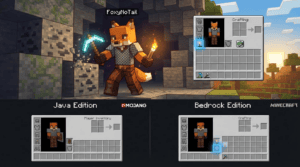
Load into your world. Crafting mini blocks uses a simple recipe: surround a regular full-sized block with 8 sticks in a crafting table. For example, to make a Mini Oak Plank, place an Oak Plank in the center of the grid and sticks in every surrounding slot. The result is a small, placeable decoration that looks like a shrunken-down version of the original block.
Tips for Using Mini Blocks
- Placement precision: Mini blocks can be tricky to position. Crouch (sneak) while placing them to attach them to the side of other blocks — super useful for wall shelves or flowerpot arrangements.
- Removal: Breaking a mini block returns the item, so you can pick up and move them without losing resources. Use any tool — or your fist — to break them.
- Illumination: Keep in mind mini blocks don’t emit light. If you want a tiny lamp effect, hide a full-sized light source block (like Glowstone) behind the mini block’s position.
- Bulk crafting: You’ll burn through sticks quickly. A nearby stick farm or a large stash of logs is your best friend.
Dépannage des problèmes courants
“I can’t see the new blocks like Tuff or Copper.” Make sure your world is running version 1.21.40 or later. If your world was created in an older version and hasn’t been updated, the newer block textures won’t be available. Back up your world, then open it in the latest game version and load any new chunks to access the blocks.
“The crafting recipe doesn’t work.” Double-check that “Holiday Creator Features” is turned on under Experimental options. If it’s off, the recipe won’t appear in the crafting grid.
“The add-on didn’t import.” Ensure the file extension is .mcaddon. If your device tries to open it with another app, right-click or long-press the file and choose “Open with” → Minecraft. On consoles, direct file import isn’t always possible, so you may need to use a Realm or a dedicated method for transferring add-ons.
What’s Next?
The Mini Blocks add-on continues to be one of the most polished decorative expansions available for Bedrock Edition, and v8.0.0 proves FoxyNoTail is keeping pace with Minecraft’s ever-growing block palette. If you enjoy the pack, consider showing support to the creator through their official channels.
Looking for more ways to customize your Bedrock world? Check out our guides to other popular add-ons and texture packs, or dive into our server reviews if you want to share your miniature masterpieces with other players.