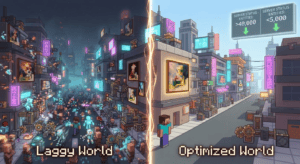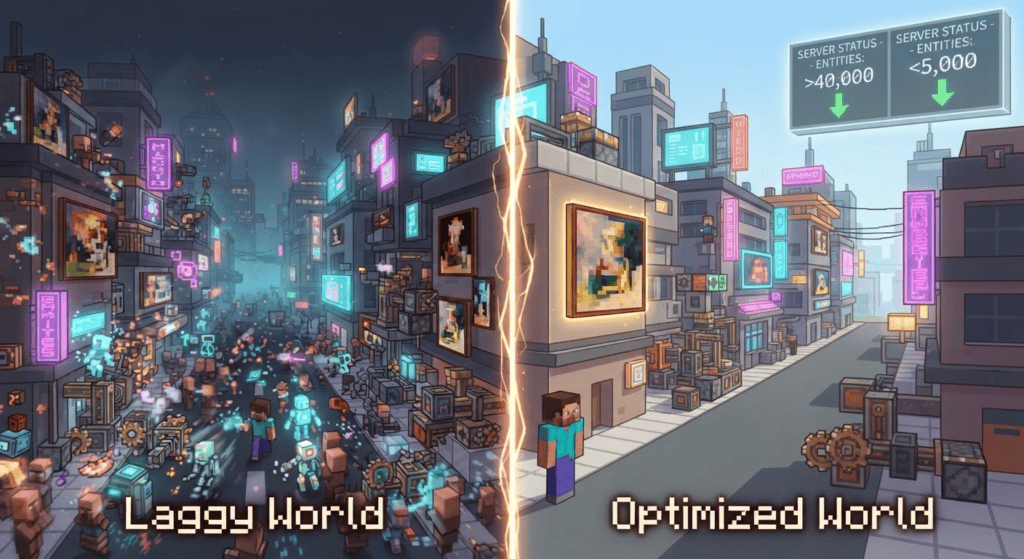
Lag is the ultimate creativity killer. You’ve spent weeks building a sprawling cyberpunk city with the Create mod, only to have it stutter and crawl to a halt. That’s exactly what happened to Minecraft creator FoxyNoTail in the Just Create SMP 2 series — and he solved it by coding a custom mod. In this article, we’ll break down the diagnostic process, the ingenious mod that fixed it, and how you can use the same tools to rescue your own Create mod worlds from lag.
What’s Causing the Lag in Create Mod Worlds?
The Create mod is beloved for its moving contraptions, mechanical arms, and railways — but these machines come at a cost. Every moving part, every interactive element, is often a ticking entity. Combine that with other mods like sculk sensors and Immersive Paintings, and your server tick rate can plummet. In FoxyNoTail’s cyberpunk city, the game ground to a halt, with 40,000 entities and block entities all demanding processing power.
Diagnosing the Problem: Tools of the Trade
Before you can fix lag, you need to know what’s broken. FoxyNoTail used three key tools to pinpoint the issue — and you can, too:
- Spark Profiler — a lightweight performance profiler for Minecraft Java Edition servers. It shows exactly which mods and processes are eating your CPU time.
- MCA Selector — a world editor that lets you load a Minecraft world and see entity counts per chunk. Perfect for spotting bloated areas.
- Observable — an in-game profiler that highlights tick-heavy blocks and entities in real time, making it easy to delete or disable them.
“The diagnostic process reveals 40,000 entities and block entities in the area, largely stemming from Create mod components, sculk sensors, and Immersive Paintings.” – FoxyNoTail
By running a Spark profile on the Just Create SMP 2 modpack (Minecraft Java Edition, Forge), he discovered that Immersive Paintings — signs that act like thick, light-emitting blocks — were ticking as entities, similar to item frames. That was a massive, hidden drain.
The Custom Mod Fix: Immersive Paintings Blocks
Rather than remove the paintings and ruin the city’s aesthetic, FoxyNoTail wrote his own mod: Immersive Paintings Blocks. This server-side mod converts every Immersive Painting from a ticking entity into a simple block entity (like a sign or chest), slashing the tick overhead while keeping all the features — you can still thicken them and make them glow.
“I create a custom mod to convert Immersive Paintings from ticking entities into block entities, offering a server-side optimization while allowing the signs to be thickened or emit light.” – FoxyNoTail
Because it’s purely server-side, players joining the world don’t need to install anything extra. Just drop it into your server’s mods folder alongside the original Immersive Paintings mod and the Forge modloader. At the time of writing, the mod supports Minecraft Java Edition 1.18.2 — always check the CurseForge page for the latest version compatibility before installing.
Additional Lag-Reducing Steps
The custom mod wasn’t the only weapon in FoxyNoTail’s arsenal. He also used Observable to delete a staggering 7 million excess blocks in the deep dark biome — a massive contributor to chunk-load times — and disabled moving cranes and scrapyard vehicles that were creating constant entity updates. Together, these changes transformed the cyberpunk city from a slideshow back into a smooth, playable world.
How to Apply These Fixes to Your Own Create Mod Server
Ready to reclaim your frame rate? Here’s a step-by-step plan inspired by the video:
- Install Spark on your server (get it from CurseForge) and run
/spark profiler start. Let it collect data during the laggy moments, then stop it and read the report. Look for mods taking up more than 10% of tick time. - Download MCA Selector (a community-made tool — not official Mojang) and open a copy of your world. Check chunk entity counts; anything above 100–200 per chunk is a red flag.
- Identify the culprits. In this case, Immersive Paintings were the surprise villain. If you have them, install the Immersive Paintings Blocks mod from CurseForge (server-side only).
- Use Observable (another community-made client-side mod) to visually scan your world. You can press a hotkey to see which blocks are ticking the most. Delete unnecessary ones — just be careful to back up your world first!
- Optimize moving contraptions: If you have cranes, drawbridges, or Create sequences running constantly, consider turning them off with a lever or redstone clock when not in use.
- Re-profile with Spark to verify the changes bumped your TPS (ticks per second) back up to 20.
What’s Next for Lag-Free Create Adventures
The Immersive Paintings Blocks mod is a perfect example of how a small, targeted fix can have an outsized impact on performance. If you’re building with Create, remember to profile early and often — don’t wait until your city is unplayable. For more performance tips, check out our guides on optimizing Fabric servers et installing mods safely. And if you want to jump into the same world, the Just Create SMP 2 modpack and the world seed (-3306902169669489505) are all linked on FoxyNoTail’s video page.
Happy building — lag-free!