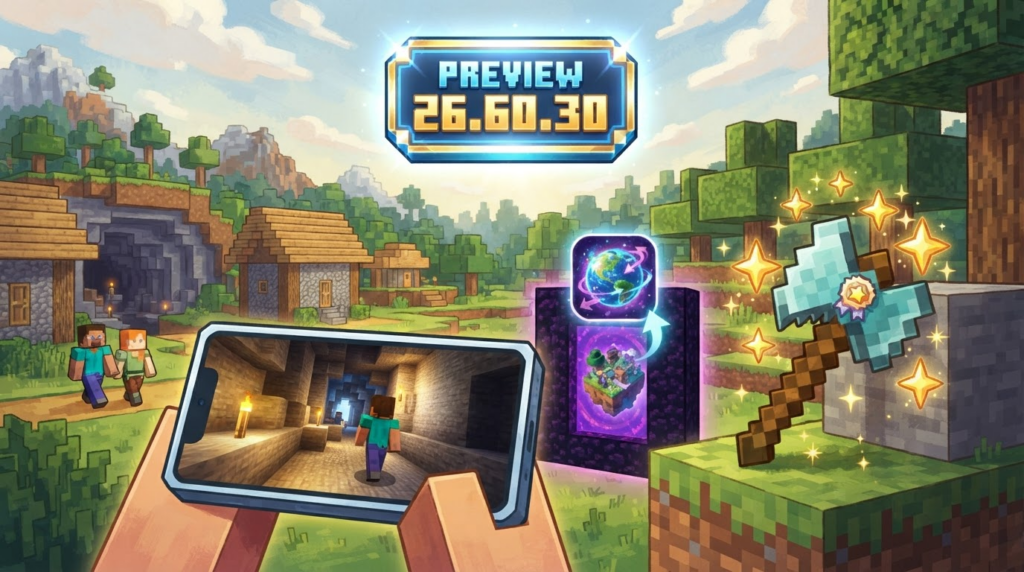
Minecraft’s Bedrock Preview program just got a fresh update — version 26.60.30 — and it’s packed with quality-of-life improvements that players on any device will appreciate. This is the sixth test build for the upcoming 26.60 release, focusing on stability and squashing some annoying bugs. It first landed on iOS and iPadOS on October 3, 2026, then rolled out to Windows, Xbox, PlayStation, ChromeOS, and Android on October 6. If you’ve been waiting for smoother Realms uploads, a fix for accidentally disabled achievements, and a touchscreen camera that doesn’t stutter, this preview is for you.
What’s new in Preview 26.60.30?
Faster, more stable Realms uploads
Uploading world saves to a Minecraft Realm has sometimes felt like watching a piglin brute a turtle — slow and unpredictable. This build addresses that by improving both the speed and reliability of the upload process.
“World uploads to Realms are faster and more reliable.” – mcbe.news changelog
If you manage a Realm for your friends or run community mini-games, you’ll notice a much smoother experience when pushing changes from your local device. The server version is 1.26.60.30, so Realms will stay in sync on this preview version.
Add-on worlds get achievements back
For a long time, loading a world with any add-on — even simple cosmetic ones — permanently turned off achievements for that save. While this was meant to prevent cheating, it often punished players who just wanted to spice up their game with community-made content. Preview 26.60.30 rolls out a generous correction:
“Worlds that previously had achievements disabled due to the use of add-ons will now have achievements re-enabled when played for the first time. (MCPE-242586)” – MCFUN-CC changelog
This means if you have an old world that had achievements locked because of a harmless add-on, just load it up in the preview and you’ll be able to earn those elusive trophies again. It’s a perfect time to dive back into your add-on-enhanced survival world and finally get that “Cover Me in Diamonds” achievement.
Touchscreen camera smoothing
Mobile and tablet players have reported a jarring camera shake when panning around with touch controls — a bug that could make even simple exploration feel like a headache. The preview directly tackles this issue.
“Fixed camera shaking and visual stuttering when looking around with touch controls. (MCPE-243048)” – mcbe.news changelog
Now, looking around with touch input should feel buttery smooth, whether you’re building a mega-structure or tracking down an elusive mob. This fix applies to iOS, iPadOS, Android, and any Windows device using a touchscreen.
How to get the Bedrock Preview
Joining the preview program is free and lets you test upcoming features before they hit the main game. Here’s how to install it on your platform:
- Windows: Download the “Xbox Insider Hub” app from the Microsoft Store. Inside, select “Previews” > “Minecraft for Windows” and click “Join”. The Minecraft Preview will then be available as a separate install.
- Xbox: Install the Xbox Insider Hub from the Store, find “Minecraft” under Available Previews, and join. The preview will appear in your games library.
- iOS / iPadOS: Sign up through Apple’s TestFlight program (spaces are limited). Visit the Minecraft Feedback site or the official Bedrock Preview page for the latest invite link.
- Android: Open the Google Play Store, search for “Minecraft” and scroll down to the “Join the beta” section. Once enrolled, you’ll receive the preview update.
- PlayStation & ChromeOS: On PlayStation, the preview is integrated into regular game updates via a separate app called “Minecraft Preview”. On ChromeOS, follow the Android beta instructions if your device supports it.
Keep in mind that preview builds are separate from your main installation, so your worlds, achievements, and store items remain safe. You can switch back to the stable version anytime.
What’s next?
Preview 26.60.30 is all about polish — faster Realms uploads, a heartfelt achievement fix, and a silky touch camera. While some community sources mention a possible fix for items disappearing in blast furnaces and smokers (MCPE-243013), the officially highlighted changelogs confirm only the two major fixes above. As always, test these changes and report any feedback through the appropriate Xbox Insiders or Minecraft Feedback channels.
With the full 26.60 update likely just around the corner, expect even more tweaks and maybe a surprise feature or two. Until then, enjoy your smoother Realms and the satisfying ding of newly unlocked achievements!