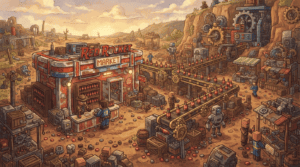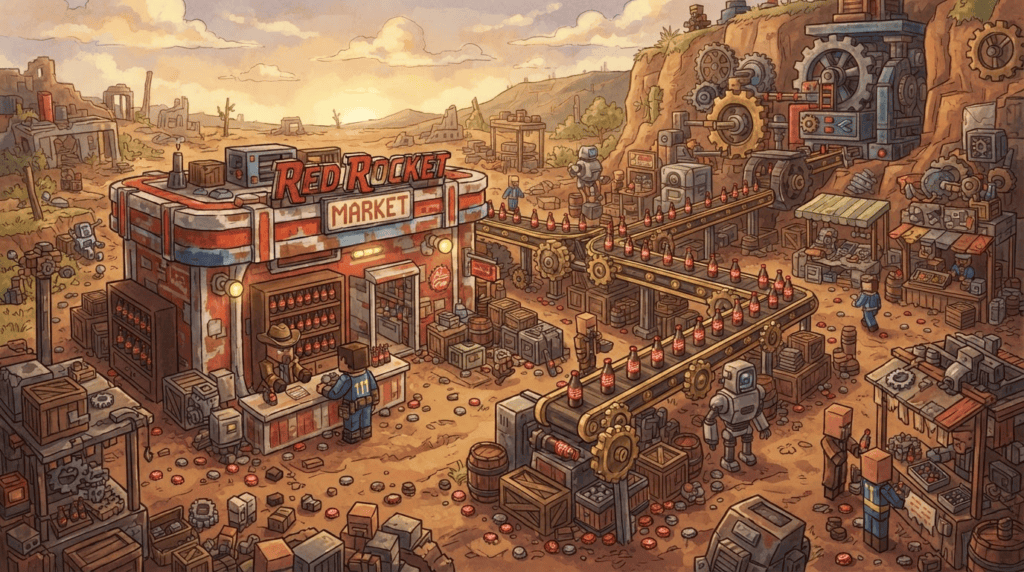
Ever wanted to bring a slice of the Wasteland into your Minecraft world? With the Create mod and the Create: Fallout expansion, you can build a fully automated Fallout market, complete with Nuka-Cola dispensers, bottle-cap currency, and iconic structures like the Red Rocket Station. This guide, inspired by FoxyNoTail’s impressive Create Mod builds, will walk you through setting up your own post-apocalyptic trading hub — step by step.
What You’ll Need
Before we break ground, gather the right tools. This setup works on Minecraft Java Edition. You’ll need a modloader — Forge or NeoForge — and the mods below. Always download from official sources like CurseForge or Modrinth to avoid compatibility issues.
Pick your adventure:
- Path A (Minecraft 1.21.1 with NeoForge): Create mod, Create: Food, Farmer’s Delight, and Create: Fallout.
- Path B (Minecraft 1.20.1 with Forge): Create mod and Create: Fallout (check the mod page for any additional dependencies at the time of installation).
Note: Always read each mod’s CurseForge page for the latest dependency list. As of the most recent update, Create: Fallout for 1.21.1 explicitly needs Create: Food and Farmer’s Delight; the 1.20.1 version may differ.
Why Create: Fallout?
The Create mod is all about aesthetic automation — building, decoration, and ingenious contraptions with moving parts. Create: Fallout sprinkles that with radioactive charm. The expansion adds Fallout-inspired items like Nuka-Cola, Sugar Bombs, pre-war consumables, and a currency system revolving around bottle caps. It also spawns new wasteland structures, including the Red Rocket Station and Broadcast Station, giving you the perfect backdrop for a market.
Step 1: Install the Mods
- Make sure you have the correct version of Minecraft Java Edition installed and the right modloader (Forge or NeoForge) for your chosen game version.
- Download the Create mod from Modrinth or CurseForge, placing the .jar file in your
modsfolder. - If you’re on 1.21.1, also install Create: Food and Farmer’s Delight.
- Finally, grab Create: Fallout from CurseForge and drop it in.
- Launch the game and check the Mods menu to confirm everything is loaded.
Step 2: Scout a Location
The Wasteland structures from the mod spawn naturally, but you can also build your own. Look for a flat, open area near a naturally generated Red Rocket Station or Broadcast Station. These pre-built structures are perfect for repurposing as market stalls. Alternatively, gather materials to construct your own — use rusted iron, concrete, and terracotta blocks to nail that post-apocalyptic vibe.
Step 3: Set Up the Currency System
In the Fallout universe, bottle caps are king. Create: Fallout introduces Nuka Caps as a currency item. To make your market feel alive, you’ll need a way to exchange caps for goods. Here’s a simple automated shop concept using Create’s mechanical components:
- Build a vending machine with a depot, chute, and brass funnel. Program it to accept a specific number of caps and dispense items like Nuka-Cola or Sugar Bombs.
- Use a sequenced gearshift and redstone contacts to create a transaction sequence — drop caps in, press a button, and watch your purchase pop out.
- For bulk trading, set up a weighted ejector behind a counter, connected to a storage drawer of caps. When a customer (or you, in survival) throws waste items in a hopper, caps can be spit out proportionally.
Step 4: Stock Your Market with Fallout Goods
Create: Fallout adds iconic consumables. Brew Nuka-Cola at a cauldron (check the recipe in-game — it usually involves sugar, water, and a special ingredient like glow dust). Bake Sugar Bombs from wheat and sugar. Display them in glass-cased shop fronts using item frames or Create’s display links.
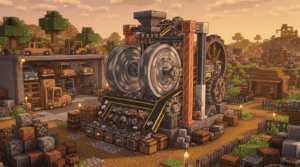
For a lively market, automate production! Use a mechanical press to craft package cartons, conveyors to shuttle items, and an encased fan to keep the area looking industrial. A Red Rocket Station typically has a garage — perfect for a workshop where you can see gears turning and caps being minted.
Step 5: Add Atmospheric touches
No Fallout market is complete without the right ambiance. Scatter non-functional items like empty Nuka-Cola bottles (glass panes tinted brown), abandoned cars (iron blocks and wheels from Create), and street lamps (glowstone posts). Use shadowers from Create or simple redstone torches to create flickering light. The mod’s Broadcast Station often comes with a radio tower — run a Create belt system under it to move supplies, as if you’re shipping goods across the Wasteland.
What’s Next?
Once your market is humming, expand! Connect multiple stands via a simple train line using Create’s rail-system — deliver fresh Sugar Bombs from a farm to your Red Rocket market. Try adding other Fallout-inspired builds like a Vault entrance or a ruined cityscape. If you enjoyed this, check out FoxyNoTail’s Create mod series for more inspiration (he’s built power stations, automated farms, and even a Fallout market of his own). Now go build — and remember, in the Wasteland, caps talk!