Mojang just dropped Snapshot 26.4 Snapshot 7 pour Minecraft édition Java on November 3, 2026, and it’s packed with the final gameplay additions before the next game release. Whether you’re a builder, an explorer, or a collector of rare tunes, this pre-release version has something for you. From a polished new block family to a hidden secret, let’s unpack everything you need to know.
What Is a Snapshot, Anyway?
If you’re new to the modding and update scene, a snapshot is an early test version of Minecraft Java Edition that Mojang puts out so players can try upcoming features and help catch bugs. It’s like a beta — you’ll need to enable snapshots in the Minecraft Launcher, and it’s best to back up your worlds first because things can get a little unstable.
This particular snapshot, 26.4 Snapshot 7, is the final gameplay snapshot for the upcoming “game drop” (the new term for smaller, themed updates). It’s only available for Édition Java and requires no separate modloader — just the official launcher.
What’s New in Snapshot 26.4 Snapshot 7?
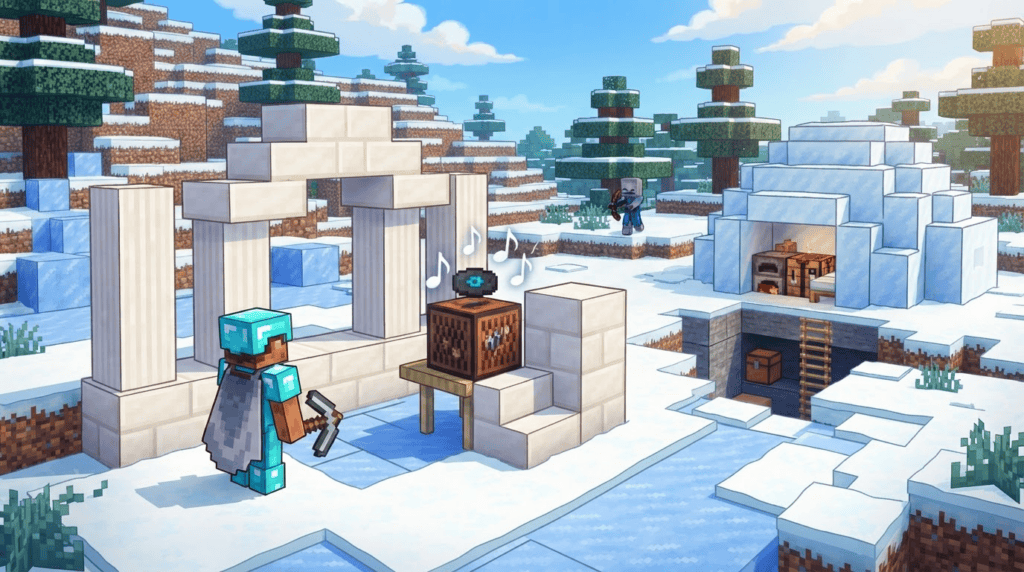
A Complete Calcite Block Family
Builders, rejoice! Calcite, that pale, smooth stone found in mountains, finally gets the full decorative treatment. You can now craft, smelt, or stonecut the following new blocks:
- Calcite Pillar
- Calcite Slab & Stair & Wall
- Polished Calcite (and its own Slab, Stair & Wall)
- Polished Calcite Bricks (and its own Slab, Stair & Wall)
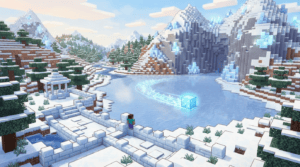
All of these variants are faster and more efficient to produce using a Stonecutter, but a regular crafting table works just fine if you don’t have one handy. The new blocks give a clean, icy aesthetic perfect for modern builds or frost-themed bases.
The ‘Flurry’ Music Disc
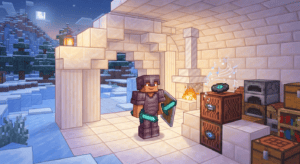
Music lovers, listen up! A brand-new music disc called “Flurry” par Hyper Potions now drops in igloo basement chests. When you pop it into a jukebox, it produces a comparator output of 7 — handy if you’re into redstone music machines. The official notes don’t state the exact drop chance, so you might need to raid a few igloos to get lucky. Keep an eye out for those snow-white structures!
Accessibility Gets a Boost
This snapshot marks the first step toward making game interfaces more inclusive. Gameplay screens like the Crafting Table, Stonecutter, Enchanting Table, and Villager trading menus now support keyboard navigation et screen-reader narration. As the developer note says:
“This is the first step towards making gameplay screens more accessible. As always, we’d love to hear your feedback, so please head on over to the feedback site.”
These changes mean you can tab through inventories, hear what slot is highlighted, and generally have a smoother experience if you rely on assistive tech.
Graphics Engine Testing: OpenGL vs Vulkan
Behind the scenes, Mojang is tinkering with the rendering backends. The “Default” Graphics API option now randomly selects either OpenGL ou Vulkan each time you launch the game. Why? The developer note explains:
“As we’ve been defaulting to Vulkan for this snapshot series, we have had little testing on the OpenGL backend. After some recent big changes to our rendering code, we want to temporarily test both backends. This will be reverted in a future snapshot.”
In plain terms, the game may run a bit differently each time you open it, and some community reports mention visual distortion or crashes with Vulkan on certain setups. If you hit problems, try relaunching — you might land on OpenGL and have a smoother ride. This is just a temporary experiment, so don’t panic.
Freezing Mechanics and Stray Updates
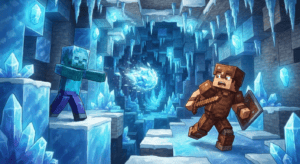
Navigating icy biomes just got easier (and more dangerous). Erreurs, the frosty skeleton variants, now spawn in more places:
- Deep Frozen Ocean
- Océan gelé
- Frozen Peaks
- Frozen River
- Jagged Peaks
- Snowy Slopes
Title also brings a logical counter to the Freezing Effect: if you’re on fire, the flames cancel out the chill. And for mob defense, wearing any piece of leather armor now prevents Zombies from converting into Frostbites and Skeletons from becoming Strays when they get stuck in powder snow. Leather’s not just for fashion anymore!
A Hidden Secret Block
Mojang slyly mentions that a new, unspecified decorative block is “hidden somewhere in the world” and hasn’t been officially named. They’re keeping it under wraps, so the community is already buzzing and data-mining for clues. (One unofficial name floating around is “Chiseled Soulshale,” but take that with a grain of salt — Mojang hasn’t confirmed anything.) Time to go exploring and see if you can spot it!
Mises à jour techniques pour les créateurs
For the map makers and data pack wizards, the Data Pack version is now 126.0 et le Resource Pack version est 102.0. If you maintain custom packs, you’ll need to update to keep things compatible. No major breaking changes reported, but it’s always wise to test.
How to Try the Snapshot
Ready to dive in? It’s free if you own Minecraft Java Edition.
- Ouvrir le Lanceur Minecraft.
- Click the “Installations” tab at the top.
- Activer snapshots (check the box if it’s not already on).
- Create a new installation, and in the version dropdown choose “snapshot 26.4 Snapshot 7”.
- Launch the game from that installation.
Important: Snapshots can corrupt worlds, so back up your saves before loading them. And remember, this version is for testing — you might encounter bugs like the Vulkan rendering hiccups mentioned above.
What’s Next?
That’s a wrap on gameplay features for this snapshot series. The next stop is the official game drop release, which Mojang will roll out in the coming weeks. We’ll be sure to cover it when it lands, so keep exploring those igloos and experimenting with the new Calcite palette in the meantime. Got feedback on the accessibility features or block balance? Hit up the official Minecraft feedback site — your voice matters.