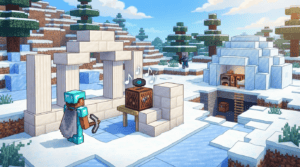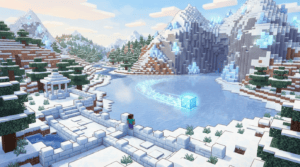
Hold onto your pickaxes, because the latest Minecraft Java Edition 26.4 Snapshot 4—released on October 13, 2026—has just slid into our laps with some seriously cool additions. We’re talking about a brand-new block that will test your platforming skills, a long-awaited quality-of-life feature for your next block party, and some chilly mob tweaks that shake up the frozen meta.
This is a snapshot for Minecraft: Java Edition, so you’ll need the official Minecraft Launcher to jump in. As always, make sure to back up your worlds before loading them up in a development version—these builds are for testing and can be unstable! Let’s break down everything new, from the treacherous Brittle Ice to the ingenious Jukebox playlist system.
Introducing Brittle Ice: Don’t Look Down
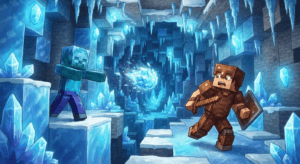
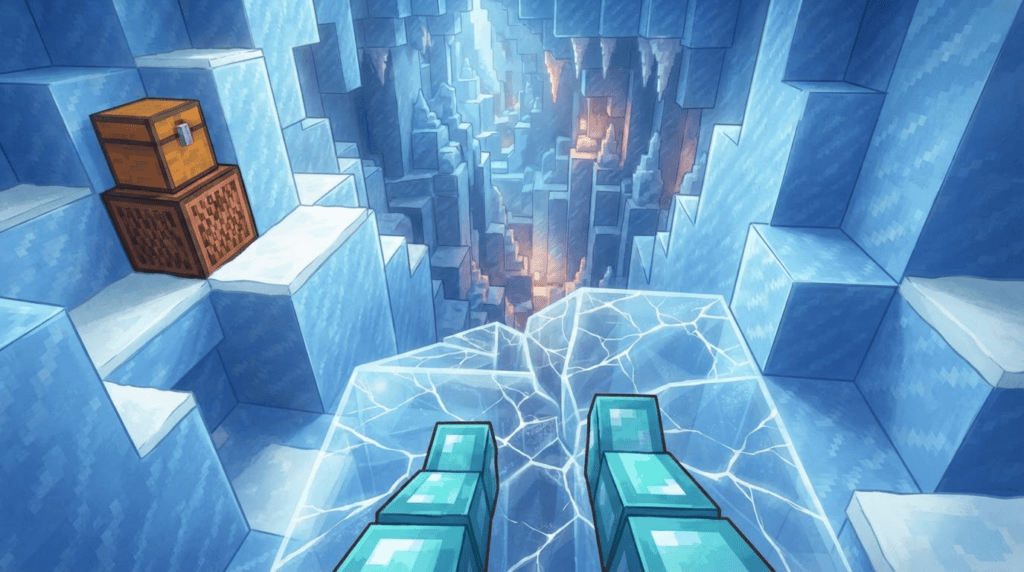
The star of the show is the new Brittle Ice block. As the Java Team puts it, “we’re breaking out a cool new block, introducing Brittle Ice!” This isn’t your average chilly pathway. It’s a translucent, fragile block that spawns naturally in Ice Caves thanks to a new world-generation feature called crevasse—a winding, tapered cut into the terrain that makes these caves look stunningly treacherous.
“Once a player or mob steps on it, it will start to crack and eventually break.”
— Java Team
Here’s the deal: the moment you (or almost any mob) step onto Brittle Ice, it will begin to crack. Stand still, and you’ll plunge straight through as it shatters beneath you. This introduces a thrilling hazard in icy biomes, demanding quick, light-footed movement.
How to Get and Use Brittle Ice
Want to build a devious trap or a parkour course for your friends? Here’s what you need to know:
- Natural Generation: Find it lining the walls and floors of Ice Caves, carved out by the new crevasse feature.
- Silk Touch Required: Mining Brittle Ice with a regular tool will simply destroy it. You doit use a tool enchanted with Silk Touch to collect the block.
- Renewable Creation: You can create Brittle Ice manually! Just let water flow horizontally onto a Blue Ice block. This makes it a fully renewable resource for your creative and technical builds.
- Who Can Walk on It? Almost every mob will break it, but there’s a specific exception: the Frostbite mob can safely tread across Brittle Ice without causing any cracks. This is defined by the new entity type tag
#does_not_break_brittle_ice.
Jukebox Playlists: Your In-Game DJ Setup
Finally, your music disc collection won’t just sit in a chest looking pretty! Snapshot 4 introduces a fantastic feature: Jukebox playlists.
“Place a single Chest, Trapped Chest, or any Copper Chest variant directly above a Jukebox to use its Music Discs as a playlist.”
— Java Team
The setup is beautifully simple. Place a Jukebox down, and then place a standard chest, trapped chest, or any of the copper chest variants directly on top of it. The jukebox will then recognize the chest as a connected container, and you can fill it with music discs to create a playlist.
How the Playlist Works
- Slot Order: The jukebox plays discs in the order they appear in the chest’s inventory slots, from top-left to bottom-right.
- Skips Non-Discs: Empty slots or non-music-disc items are simply skipped.
- Automatic Swapping: When a track finishes, the jukebox clicks the finished disc back into the chest and pops the next one out to play.
- Seamless Loop: Once the end of the playlist is reached, it loops right back to the beginning, keeping the party going indefinitely.
This tiny change, governed by the new block tag #jukebox_containers, turns your base into a lively tavern or a serene lounge with zero redstone know-how.
Mob Changes: Zombies Are Now Cold-Blooded
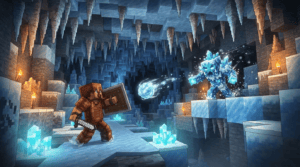
The undead are getting a significant buff against the cold. In a major shift, Zombies, Drowned, and Husks are now completely immune to freezing damage and won’t take any damage from the Powder Snow’s Freezing effect.
This also changes a Drowned’s conversion path. Previously, a Drowned would slowly turn directly into a Frostbite while in Powder Snow. Now, the process has an extra step: a Drowned will first convert back into a regular Zombie, and that Zombie then converts into a Frostbite. It’s a small tweak for consistency, but it makes mob farms and encounters in snowy biomes more interesting to navigate. Alongside this, a new block tag #face_occluding_ice_blocks has been added to help developers define how these blocks interact with the world.
Technical News: For Map Makers and Data Pack Creators
This snapshot ships with crucial updates for the creator community:
- Data Pack Version: bumped to 124.0.
- Resource Pack Format: updated to 100.1.
- The new crevasse feature allows custom world generation with winding, tapered cuts in the terrain, configurable with parameters like
max_width,max_lengthetmin_footprintto carve out your own custom icy scars on the landscape.
Make sure to back up your worlds and update your development tools to match these new formats if you’re diving into custom content.
What’s Next? Dive Into the Ice!
Snapshot 4 for version 26.4 is a blast of frosty fresh content. Whether you’re engineering a deadly crevasse parkour with Brittle Ice, setting the mood with a jukebox playlist, or rethinking your zombie-proofing in snowy mountains, there’s something to experiment with. To enable the snapshot, open your Lanceur Minecraft, go to the “Installations” tab, enable “Snapshots,” and create a new installation with the 26w4a (or latest) snapshot selected. Now get out there and try not to fall!